


cropper
Raleigh Better Home Living
  • Home
  • Categories
    • DIY Projects
    • Smart Home Tech
    • Home Maintenance
    • Interior Design
    • Lawn and Garden
    • Design Trends
    • Draft or Deletes
  • Adding Value to Your Home
  • Feature Local Businesses
January 03.2026
3 Minutes Read

Unlock the Magic of Home Control with the Sofabaton X2 Smart Remote

Sofabaton X2 smart remote in hand with 'Ultimate Power' text.

Discover the Ultimate Smart Remote: The Sofabaton X2

For homeowners looking to simplify their tech-laden lives, the search for an all-encompassing remote control can often feel like a never-ending quest. Enter the Sofabaton X2, touted as the smart remote that could transform how we interact with our home devices. With a sleek design and robust capabilities, the X2 promises to unite various technologies under one roof, eliminating the need for multiple remotes cluttering your living space.

In The ONE Remote to Rule them ALL - Sofabaton X2, the video demonstrates a fascinating product that’s captured the attention of tech-savvy homeowners, leading us to explore its wider impact on home automation.

Simplifying the Smart Home Experience

The crux of the Sofabaton X2's appeal lies in its ability to support a myriad of functions, from controlling your television to managing smart home devices like lights and speakers. This versatility is essential in an age where many households juggle multiple smart technology brands and products. An intuitive setup process, guided by the accompanying app, paves the way for users to customize their experience seamlessly. With one remote to control them all, users can save time and hassle.

Setting Up the Sofabaton X2: A Step-by-Step Guide

Getting started with the Sofabaton X2 is straightforward, marking a significant plus for those intimidated by tech gadgets. Users can download the dedicated app, follow a series of prompts, and within a few minutes, integrate their devices. This elimination of complexity is especially beneficial for tech novices and older homeowners who seek functionality without the frustration of complicated configurations.

Concerns About Remote Control Functionality

Despite its many benefits, some users may have reservations about relying on a single remote. The question of connectivity arises: will the X2 truly integrate with every device? While many users have reported success, it’s important for potential buyers to check compatibility with their current devices prior to purchase. Customers have shared varying experiences regarding the remote's performance with specific brands, emphasizing the need for due diligence.

Future Predictions: The Smart Home Landscape

The growth of smart home technology is expected to accelerate, with innovations like the Sofabaton X2 leading the charge. Industry experts predict that as more households adopt smart devices, the demand for unified control systems will surge. This trend represents a significant opportunity for manufacturers to innovate further, combining AI with user-friendly designs to enhance the connected home experience.

Why the Sofabaton X2 is a Game Changer for Homeowners

For homeowners aged 40-65 with a median income between $60k to $150k, the Sofabaton X2 presents a valuable investment. Its ability to streamline home management—both for entertainment and smart controls—offers unique advantages. Instead of rummaging through drawers or watching videos to find lost remotes, users can enjoy an organized, efficient home experience.

Common Misconceptions: Unpacking the Technology

A prevalent myth about smart remotes, including the Sofabaton X2, is that they are overly complicated or unsuitable for older adults. Yet, as demonstrated through its simple user interface and robust customer support, these devices are designed to bridge the technology gap, making them accessible for everyone, regardless of age or tech-savviness.

Your Next Step in Smart Home Living

As you consider enhancing your living space, think about how unified control can streamline your daily routines. The Sofabaton X2 not only boasts functionality and ease of use, but it also aligns perfectly with lifestyle enhancements that many homeowners seek. Whether you’re tuning into your favorite shows, adjusting the lighting for a cozy evening, or managing other connected devices, having one remote that does it all can truly elevate your home environment.

Ready to transform your home experience? Check out the Sofabaton X2 on their official page or get it on Amazon with a discount code SMSREEDX2. Simplify your life today!
Smart Home Tech

43 Views

0 Comments

Write A Comment

*
*
Please complete the captcha to submit your comment.
Related Posts All Posts
11.15.2026

Unlock the Potential of Your Smart Home with E-Ink Displays

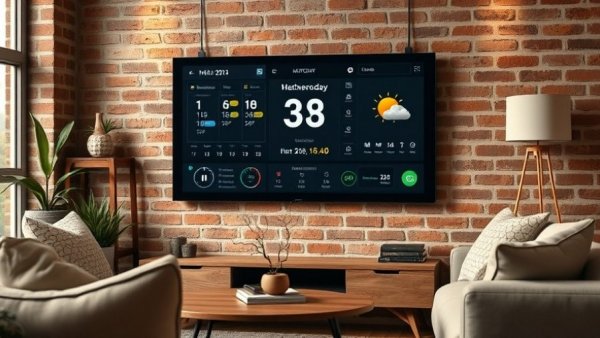
Update Why E-Ink Displays are Revolutionizing Smart Home Dashboards In today's fast-paced digital age, enhancing our home environment is not just about aesthetics; it's also about functionality and convenience. E-ink displays, reminiscent of the screens used in popular e-readers like the Kindle, are making waves as a smart home dashboard solution. These screens, thanks to their minimal power usage and comfortable readability, have emerged as a compelling alternative to traditional LED or LCD displays. With the promise of long battery life and less eye strain, they present a unique advantage for those seeking to streamline their smart home management.In 'How I put my Smart Home Dashboard on E-ink!', the discussion dives into the integration of E-ink displays for smart home management, exploring key insights that sparked deeper analysis on our end. Choosing the Right Display for Your Needs One significant factor in the growing popularity of E-ink displays is the range of options available on the market. When contemplating a setup for your kitchen or living room, it’s crucial to decide between models that offer practicality and ease of setup. For instance, the Terminal X and the ReTerminal E 1003 are both notable choices featuring impressive specifications. The 10.3-inch display, complemented by a resolution of 1872 by 1404, renders text with remarkable clarity. However, while the Terminal X boasts better battery performance and user-friendly setup, fans of DIY projects might lean towards the ReTerminal E 1003 for its greater customization potential. The Sweet Spot: Display Quality vs. Refresh Rate While color displays seem appealing, monochrome versions often outperform their competitors in critical areas like refresh rate. The Terminal X and ReTerminal E 1003 ensure quick updates, refreshing in about two seconds compared to the lengthy refresh times (up to 20 seconds) seen in color E-paper displays. This rapid refresh capability is essential in kitchens or busy environments where slow updates can disrupt attention. Diving Deeper into the Set-Up Process Setting up an E-ink display as a smart home dashboard doesn’t have to be a daunting task. With the correct guide, even novices can achieve effective results. For example, using the Terminal X can streamline your setup by creating a Terminal account and integrating a Home screenshot plugin. This plugin allows users to easily sync their Home Assistant dashboard with the display, giving a streamlined overview of essential data like temperature readings, calendar events, and alerts at a glance. Future-Proofing Your Smart Home Dashboard As technology continues to evolve, so does the need for adaptability in our home setups. Adopting an E-ink dashboard now may pave the way for further innovations in home automation. For instance, upcoming features like enhanced firmware updates for displays could significantly improve performance issues. Keeping abreast of new trends in smart home tech could empower users to optimize their systems continuously. As potential updates become available for devices like the E-ink displays by Seeed Studio, consumers can enjoy not just new products but also improved functionality across their existing setups. With the right E-ink display, homeowners aged 40 to 65, particularly those with a keen interest in DIY projects, can maximize their smart home experience. Whether one opts for an E-ink display due to aesthetic choices or practical performance, the benefits of ease of customization and power efficiency are compelling. In a world where technology increasingly merges with everyday life, investing in such innovative devices can enhance both the functionality and beauty of a home. Follow the latest trends in smart home solutions and stay informed about the best products that can transform your living space into a highly efficient and artful environment.

11.13.2026

Is the Apple Home View Really a Game Changer for Smart Homes?

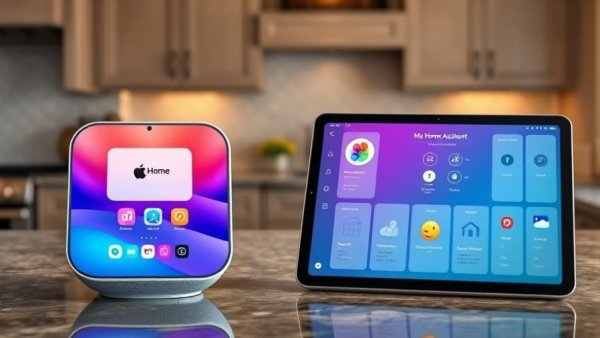
Update Understanding the Apple Home View The recent advent of Apple’s Home View device has generated considerable interest among tech-savvy homeowners. Promising to enhance kitchen experiences with multi-functional capabilities, it presents itself as a strong contender against DIY solutions like custom dashboards. Yet, the question remains: how does it really stack up? Exploring its key features provides insights into whether it’s worth the $300 price tag.In 'Apple HomeView vs My Home Assistant Dashboard!', the discussion dives into the strengths and weaknesses of Apple's latest device, exploring key insights that sparked deeper analysis on our end. Key Advantages That Shine The Apple Home View boasts several appealing features, particularly in audio capabilities. Users can easily stream music—whether from Spotify or other services—through seamless AirPlay integration. The audio quality is impressive; for homeowners aiming to enhance their kitchen ambience, it's a major plus. Another standout feature is recipe management. Users can effortlessly transfer recipes from their phones to the Home View, which displays them in a user-friendly, step-by-step format. The ability to use voice commands to progress through recipes adds convenience, particularly for those who often cook with messy hands. FaceTime functionality adds another layer of interactivity, allowing for video calls while cooking. The wide camera view is optimized for group interactions, making it an engaging solution for family members to connect while preparing meals. App Compatibility and Limitations However, potential buyers should approach with tempered expectations. One of the main shortcomings of the Home View is its compatibility with third-party applications. The lack of an app store limits customization, with many widgets falling short in functionality. For homeowners accustomed to personalized dashboards, this limitation could be a dealbreaker. Moreover, the inability to resize widgets can hinder user experience. The standard layout feels restrictive, especially when compared to custom setups that allow for tailored organization. For busy families needing quick access to shared calendars or reminders, the Home View can feel cumbersome and less efficient. Design Flaws: The Ugly Side On the aesthetic front, the Home View has received criticism for its visible cord, detracting from its sleek design. Homeowners looking to maintain a tidy kitchen counter may find this less than ideal. Additionally, the square screen results in awkward viewing experiences when watching videos, further diminishing its appeal as an entertainment hub. The shared-device feature, intended to personalize experiences, often confuses users. For instance, if one family member connects their phone to the Home View, it limits accessibility for others—imposing a barrier that contrasts sharply with conventional smart displays designed for shared use. Finding Balance: Is It Worth It? Ultimately, while the Apple Home View excels in specific applications, it lacks the versatility that many tech-savvy homeowners may seek in a smart home device. It’s particularly well-suited for individuals or families focused on cooking experiences, music playback, and social connectivity in the kitchen. However, if you are accustomed to a fully integrated home automation system offering extensive customizations and multi-device support, the Home View may not meet your expectations. It serves better as a supplementary kitchen gadget than a comprehensive smart home solution. For families intrigued by audio streaming and cooking assistance, it might just find a place in their home. But for those who prefer a fully integrated smart experience, exploring DIY dashboards remains a robust option. As new innovations emerge in 2024, the balance between design and functionality will undoubtedly evolve, and keeping an eye on user feedback is vital for any prospective buyer. It is essential to evaluate the Home View’s offerings against personal needs to determine if it brings added value to your home. Considering such insights, many homeowners may discover their sweet spot lies between Apple’s innovations and DIY solutions that cater perfectly to their lifestyles. Whether the price justifies the utility remains a decision each user must weigh carefully.

11.05.2026

Unlock the Future of Home Automation with Home Assistant 2026.11

Update Introducing Home Assistant 2026.11: A Game Changer for Smart Homes The latest update to Home Assistant, version 2026.11, arrives with an impressive array of improvements designed to enhance user experience and streamline home automation. From the much-anticipated Marketplace feature—replacing what was previously known as the Home Assistant Community Store (HACS)—to numerous user interface enhancements, this release is a treasure trove for tech-savvy homeowners. But what does this mean for you and your smart home setup? Let's explore the key features and benefits of this new release.In 'Everything New In Home Assistant 2026.11!', the video discusses the transformative features of the latest release, prompting us to delve deeper into its implications for homeowners. Marketplace: Simplifying Integration Access The Marketplace is perhaps the most significant shift in this release. By integrating the former HACS directly into Home Assistant's core, users can now access a wider array of custom integrations and dashboard enhancements without the hassle of separate installations. Gone are the days of needing a GitHub account to add functionalities to your home assistant. With just a few clicks, new integrations can be added seamlessly, right after installation. Once you've accessed the Marketplace, the upgraded interface guides you effortlessly through popular and recently updated integrations. The addition of a dedicated installation tab means any updates or newly installed features can now be managed directly from the interface, ensuring your system always runs on the latest technologies. UI Improvements: Enhancing Your Dashboard Experience Alongside Marketplace, version 2026.11 boasts significant UI enhancements that simplify dashboard creation and use. Home Assistant now allows for the copying and pasting of entire sections on your dashboard, meaning if you've configured a perfect layout for controlling lights or devices, you can replicate it without starting from scratch. Automatic sections are another exciting addition. You can now create sections based on frequent usage patterns or specific entities without manual input, streamlining your dashboard management considerably. Suppose you frequently interact with a specific light; Home Assistant will allow you to create an automatic section that updates in real-time, keeping your dashboard relevant without extra effort on your part. This feature is especially beneficial in households where multiple users might manipulate the system differently. Two-Way Audio: Addressing the Future of Home Communication In a move that elevates the capabilities of smart home security systems, Home Assistant's support for two-way audio with Reolink and Matter cameras indicates a significant shift towards a smarter, more communicative home. This feature enables homeowners to not only monitor their premises but also interact with visitors directly, all through the Home Assistant interface. Imagine answering your doorbell from your kitchen display—it not only enhances security but also adds an element of convenience to daily life, making it easier to manage communications without shifting between apps. Improved Automation Capabilities: Tailored Home Management New automation features are also present in this update, adding filters that enhance control. Users can now exclude specific devices or entities from automation rules, allowing for greater customization based on individual preferences or situations. If you have a light in the kitchen you want excluded from a control set, it's now a simple toggle away. These enhancements significantly enhance Home Assistant's flexibility. Users can manage automations without needing to initiate complex configurations from scratch, making the intuitive design even more accessible to those who may not be as tech-savvy. Quality of Life Features: Making Smart Living Even Smarter Home Assistant 2026.11 introduces several quality-of-life improvements. Energy tracking has become simpler; the system can now offer automatic energy stats based on the devices you have, integrating more nuanced energy reports into your home dashboard. This improvement translates to enhanced energy efficiency monitoring, allowing homeowners to understand usage trends and make informed decisions about energy consumption. Furthermore, the release includes a robust backup system, allowing users to attach local drives for backups and ensuring faster restoration without temporary copies. This means peace of mind as your essential data remains safe and easily recoverable in case of unforeseen malfunctions. Conclusion: A New Era for Home Automation The release of Home Assistant 2026.11 marks a significant leap forward in community-driven smart home technology. With a focus on integration simplicity through the Marketplace, enhanced automation features, and innovative updates like two-way audio, this software update caters to both experienced tech users and newcomers alike. Homeowners can expect a more streamlined, efficient, and user-friendly smart home experience—all integral for adapting to the future of domestic living. If you haven't yet upgraded or explored these new features, now is the time to dive into the world of Home Assistant 2026.11, and embrace the smarter way of managing your home!

Raleigh Better Home Living

Discover Essential DIY, Landscaping, Maintenance, and Design Tips for Raleigh Metro Homeowners on Our Media Site!

Green Street Constulting LLC

864 535 6456

AVAILABLE FROM 8AM - 5PM

ABOUT US

Empowering Raleigh Metro Homeowners: Discover the Latest Articles and YouTube Videos for Home Improvement Tips!

© 2026 CompanyName All Rights Reserved. Address . Contact Us . Terms of Service . Privacy Policy

Terms of Service

Privacy Policy

Core Modal Title

Sorry, no results found

You Might Find These Articles Interesting

T
Please Check Your Email
We Will Be Following Up Shortly
*
*
*